FASTag has transformed the way India pays toll. Since the National Highways Authority of India (NHAI) made FASTag mandatory for all four-wheelers on national highways, millions of vehicle owners have linked their cars to this RFID-based electronic toll collection system. A single tap of your windshield-mounted FASTag sticker at a toll plaza deducts the toll amount automatically from your linked wallet — no cash, no queues, no delays.
But how do you know exactly how much was deducted at each toll, which plazas you passed through, whether an incorrect amount was charged, or how much balance remains in your account? The answer lies in your FASTag transaction history — a complete record of every toll deduction linked to your tag. This guide walks you through every available method to check your FASTag history, step by step, so you always stay informed about your toll payments.
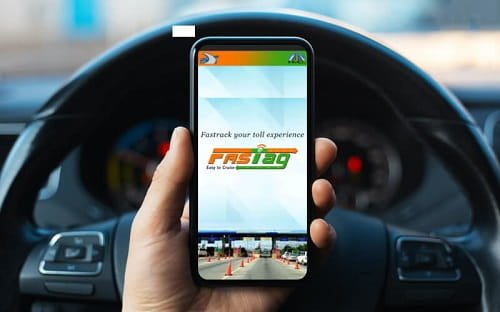
Why Checking Your FASTag Transaction History Matters
Keeping track of your FASTag history is more useful than most vehicle owners realise:
- Verify correct toll deductions: Overcharging at toll plazas does happen. Reviewing your history helps you spot and dispute any incorrect deductions promptly.
- Track travel expenses: For businesses managing a fleet or individuals filing travel reimbursements, FASTag history serves as an official record of highway journeys.
- Monitor balance and avoid blacklisting: If your FASTag balance falls below the minimum threshold, your tag is blacklisted and you will be charged double the toll. Checking history helps you anticipate when to recharge.
- Detect unauthorised transactions: In rare cases of fraudulent or duplicate deductions, a regular history check helps you catch and report the issue quickly.
- Tax and compliance records: Companies and self-employed professionals can use FASTag history as documented proof of toll expenses for income tax purposes.
- Long-trip planning: Reviewing past journeys on similar routes gives you a realistic estimate of total toll costs for upcoming trips.
Method 1: Check via the My FASTag App (Official NHAI App)
The My FASTag app is the official application developed by NHAI for FASTag account management. It provides a complete transaction history, balance details, recharge options, and dispute filing — all in one place.
Steps to Follow:
- Download the “My FASTag” app from the Google Play Store (Android) or Apple App Store (iOS).
- Open the app and tap on “Login” if you already have an account, or “Register” to create a new one.
- Enter your registered mobile number linked to your FASTag account and verify with the OTP sent to your phone.
- Once logged in, you will land on the dashboard showing your current FASTag balance.
- Tap on “Transaction History” or “Toll Transactions” from the main menu or bottom navigation bar.
- A list of all recent toll deductions will appear, showing the toll plaza name, date and time of deduction, amount charged, and remaining balance after each transaction.
- Use the date filter or search option to narrow down transactions by a specific time period or journey.
- To download or share the history, look for the export or download icon — available on most versions of the app.
Pro Tip: The My FASTag app also allows you to file a dispute directly if you spot an incorrect deduction — tap on the specific transaction and select “Raise a Dispute” to initiate a refund claim.
Method 2: Check via the FASTag Issuer Bank’s App or Website
FASTag accounts in India are issued and managed by banks and payment wallets — including HDFC Bank, SBI, ICICI Bank, Axis Bank, Paytm Payments Bank, Kotak, IndusInd, and many others. Your issuing bank’s own app or website gives you full access to your FASTag transaction history linked to their wallet.
Steps to Follow:
- Open your FASTag issuer bank’s official app — for example, HDFC Bank Mobile Banking, SBI YONO, ICICI iMobile Pay, Axis Mobile, or Paytm.
- Log in using your credentials — mobile number, customer ID, or MPIN.
- Navigate to the “FASTag” section. On most bank apps this is found under “Accounts,” “Payments,” or as a dedicated FASTag tab.
- Select your linked FASTag account or vehicle registration number.
- Tap on “Transaction History,” “Statement,” or “Toll History.”
- The app will display a chronological list of all toll deductions with details including plaza name, highway, amount deducted, and timestamp.
- You can typically filter by date range — select a custom period to view history for a specific trip or month.
- Many bank apps also allow you to download or email a FASTag statement in PDF or Excel format for record-keeping.
Pro Tip: If you recharge your FASTag through your bank’s app, the recharge transactions will also appear in this history alongside toll deductions — giving you a complete financial picture of your FASTag account.
Method 3: Check via the NETC FASTag Portal (National Electronic Toll Collection)
The NETC (National Electronic Toll Collection) portal is managed by NPCI (National Payments Corporation of India) and serves as a centralised platform for all FASTag-related services. It allows you to check transaction history regardless of which bank issued your FASTag.
Steps to Follow:
- Open a browser and visit the NETC FASTag portal at https://fastag.npci.org.in
- Click on “Customer Portal” or “Login” on the homepage.
- Enter your registered mobile number and the OTP sent to your phone, or log in using your FASTag account credentials.
- Once logged in, select your vehicle from the dashboard if you have multiple FASTags registered.
- Click on “Transaction History” or “Toll Transactions” from the left-hand menu.
- Select the date range you want to view — you can typically access up to 6 months of history on this portal.
- The portal will display each transaction with the toll plaza name, location, highway number, date and time, amount deducted, and closing balance.
- Use the “Download” option to export your statement as a PDF or CSV file.
Note: The NETC portal is particularly useful when you cannot remember which bank issued your FASTag or when you want a single view of transactions across multiple vehicles registered under one mobile number.
Method 4: Check via SMS Alerts from Your FASTag Issuer
Every time your FASTag is scanned at a toll plaza, your FASTag issuer automatically sends an SMS to your registered mobile number confirming the deduction amount, the toll plaza name, and your remaining balance. Your SMS inbox is therefore a real-time log of your toll transaction history.
Steps to Follow:
- Open the Messages or SMS app on your mobile phone.
- Search for the sender name of your FASTag issuer — for example, “HDFCFASTAG,” “SBIFASTAG,” “PAYTMFASTAG,” or “NHAI” depending on your provider.
- Scroll through the messages to review individual toll deduction alerts — each message will show the toll plaza name, amount deducted, and remaining wallet balance.
- For a specific trip, scroll to the date of travel and read through the sequence of deduction messages to reconstruct the full toll history of that journey.
- If you are not receiving SMS alerts, contact your FASTag issuer’s customer care to ensure your registered mobile number is correctly linked and SMS notifications are enabled on your account.
Note: SMS history is a convenient on-the-go reference but is not a substitute for an official statement. For formal records or dispute resolution, always use the app or portal-based history.
Method 5: Check via Paytm or PhonePe (If FASTag Is Linked to a Payments App)
Many vehicle owners manage their FASTag through popular payments apps like Paytm or PhonePe, which act as FASTag issuing wallets in their own right. If your FASTag is registered and recharged through one of these platforms, your full transaction history is accessible directly within the app.
Via Paytm:
- Open the Paytm app and log in with your registered mobile number.
- Tap on the “Recharge & Pay Bills” section or search for “FASTag” in the search bar.
- Select “Paytm FASTag” and tap on your linked vehicle.
- Tap on “Transaction History” or “Passbook” to view all toll deductions and recharge credits.
- Filter by date to view history for a specific period or trip.
Via PhonePe:
- Open the PhonePe app and log in.
- Tap on “My Money” or scroll to the “Recharge & Pay” section.
- Select “FASTag” and choose your linked vehicle.
- Tap on “Transaction History” to view a complete list of toll deductions with dates, amounts, and plaza details.
Pro Tip: Both Paytm and PhonePe also send push notifications for each toll deduction — enable these notifications so you get an instant alert every time your FASTag is scanned.
Method 6: Call Your FASTag Issuer’s Customer Care Helpline
If you do not have access to the internet or cannot log in to the app, calling your FASTag issuer’s customer care is a reliable fallback. Representatives can read out recent transactions and also raise disputes on your behalf.
Steps to Follow:
- Dial the NHAI FASTag helpline at 1033 — this is the central toll-free number for all FASTag-related queries in India.
- Alternatively, call your FASTag issuer’s dedicated helpline: HDFC Bank at 1800-120-1243, SBI at 1800-11-0018, ICICI Bank at 1800-210-0104, Paytm at 0120-4456-456, or your respective bank’s customer care number.
- Select the option for “FASTag” or “Toll Related Query” from the IVR menu.
- After connecting with an executive, provide your registered mobile number and vehicle registration number for verification.
- Ask the executive to share your recent FASTag transaction history, including the toll plaza names, dates, and amounts deducted.
- If you spot a discrepancy, request the executive to raise a dispute or refund request on your behalf immediately during the call.
Note: The NHAI helpline at 1033 is available 24 hours a day, 7 days a week — making it especially useful for reporting overcharges or issues while you are on a highway journey.
Quick Reference: FASTag History Check Methods at a Glance
Use this table to quickly pick the method that suits your situation best:
| Method | Best Use Case | Requirements |
| My FASTag App (NHAI) | Official history + dispute filing | Smartphone + internet |
| Bank App / Website | Full statement with recharges | Bank login + internet |
| NETC FASTag Portal | Cross-bank single view | Mobile number + OTP |
| SMS Inbox | Quick on-the-go reference | Registered mobile number |
| Paytm / PhonePe | Wallet-based FASTag history | Payments app login |
| Customer Care (1033) | No internet or urgent disputes | Mobile + reg. number |
FASTag Issuers and Their App / Portal Names
Use this reference to find the correct platform for checking your FASTag history based on your issuing bank or wallet:
| FASTag Issuer | App / Portal Name | Customer Care |
| HDFC Bank | HDFC Bank Mobile Banking | 1800-120-1243 |
| SBI | SBI YONO / SBI FASTag Portal | 1800-11-0018 |
| ICICI Bank | iMobile Pay | 1800-210-0104 |
| Axis Bank | Axis Mobile | 1800-419-5959 |
| Paytm Payments Bank | Paytm App | 0120-4456-456 |
| Kotak Mahindra Bank | Kotak Mobile Banking | 1860-266-0811 |
| NHAI (All issuers) | My FASTag App / NETC Portal | 1033 (Toll-Free) |
Troubleshooting: Common FASTag History Issues and Solutions
Here are solutions to the most common problems vehicle owners face when checking or disputing FASTag history:
- Transaction not showing in history: Toll deductions usually reflect within a few minutes, but can occasionally take up to 24 hours during high-traffic periods. If a deduction is missing after 24 hours, contact your issuer’s customer care.
- Incorrect amount deducted: Compare the amount charged with the official NHAI toll rate for that plaza (available on https://tis.nhai.gov.in). If there is a discrepancy, raise a dispute through the My FASTag app or call 1033.
- Double deduction at the same plaza: This can occur due to technical glitches at the toll reader. File a dispute immediately using your bank app or the NETC portal — refunds are typically processed within 7 working days.
- FASTag shows blacklisted status: This happens when the wallet balance falls below the minimum required limit (usually Rs. 100–150 depending on the issuer). Recharge immediately to restore active status.
- Cannot log in to the app: Use the “Forgot Password” option or reset access using your registered mobile number. If the issue persists, contact your issuer’s customer care to reset your account.
- SMS alerts not being received: Verify that your correct mobile number is registered with your FASTag account. Log in to your issuer’s portal and update the mobile number if necessary, or contact customer care.
Conclusion
Checking your FASTag transaction history is a simple habit that keeps you in complete control of your toll payments. Whether you prefer the official My FASTag app, your bank’s mobile banking platform, the NETC portal, or even a quick scroll through your SMS inbox — every method takes just a few minutes and gives you a clear picture of where your money has gone on the highway.
Make it a habit to review your FASTag history after every long trip, recharge before your balance runs low, and dispute any incorrect charges without delay. With India’s national highway network expanding rapidly and toll collections increasing every year, staying on top of your FASTag account is not just convenient — it is essential.