FASTag has become a basic part of driving on Indian highways. You pass through toll plazas without stopping, money gets deducted automatically, and everything feels smooth—until one day your balance runs low and you don’t even realize it.
That’s why knowing how to check your FASTag balance quickly is important. Many people think you can directly check it using just the vehicle number, but the reality is slightly different. There are simple ways to check your balance, and in some cases, your vehicle number helps you get there.
Let’s break it down step by step so you don’t get stuck at a toll gate again.
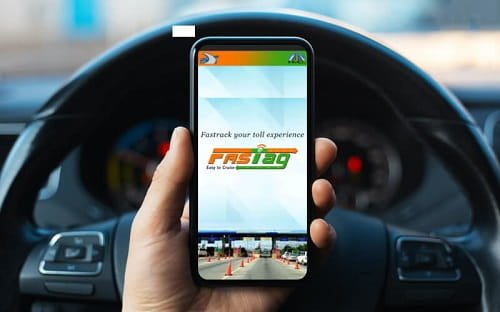
Can You Check FASTag Balance Using Only Vehicle Number?
Here’s the honest answer: there is no direct method where you simply enter your vehicle number and instantly see your FASTag balance.
FASTag is linked to:
- Your bank account or wallet
- Your registered mobile number
- Your FASTag ID
However, your vehicle number can help you identify your FASTag account through apps or customer support.
Method 1: Check FASTag Balance via MyFASTag App
This is the fastest and most reliable method.
Steps:
- Download the MyFASTag App from Play Store or App Store
- Open the app and log in using your registered mobile number
- Enter OTP to verify
- Once logged in, you will see:
- Your vehicle number
- FASTag status
- Available balance
Why this works well:
- Instant access
- Works anytime
- Shows transaction history too
If your vehicle is already linked, you don’t need to enter the vehicle number again—it shows automatically.
Method 2: Check via Bank FASTag Portal
Most FASTags are issued by banks like HDFC, ICICI, SBI, Axis, etc.
Steps:
- Visit your bank’s FASTag website
- Log in using:
- Customer ID / Username
- Password or OTP
- Go to dashboard
- Check your balance and recent transactions
Tip:
If you don’t remember your login details, use your vehicle number to recover your account.
Method 3: Use SMS Alerts (Simple and Instant)
Whenever a toll deduction happens, you get an SMS on your registered number.
What you’ll see:
- Amount deducted
- Remaining balance
What to do:
- Just check your last FASTag SMS
- Your balance is already mentioned there
This is the easiest way if you don’t want to open apps or websites.
Method 4: Check via Missed Call or Customer Care
Some banks offer missed call services.
Steps:
- Give a missed call from your registered mobile number
- You’ll receive an SMS with your FASTag balance
Alternatively:
- Call your FASTag issuing bank’s customer care
- Provide your vehicle number or registered mobile number
- Ask for balance details
Method 5: Use Paytm FASTag (If Linked)
If your FASTag is issued via Paytm, this becomes very simple.
Steps:
- Open Paytm app
- Go to “FASTag” section
- Select your vehicle
- Your balance will be visible instantly
Here, your vehicle number is directly shown along with the FASTag.
Method 6: Check via NETC Website (Indirect Way)
You can also use the National Electronic Toll Collection (NETC) system.
Steps:
- Visit NETC official portal
- Use your registered details
- Locate your FASTag using vehicle info
- Check linked bank and status
This method is more useful for verification than daily balance checks.
Important Tips You Should Know
- Always keep ₹200–₹500 minimum balance to avoid toll issues
- Enable SMS alerts so you don’t need to check manually
- Link FASTag with an active mobile number
- Recharge before long trips
Common Problems & Solutions
1. Not receiving SMS updates
→ Check if your mobile number is correctly linked
2. Balance not showing in app
→ Log out and log in again or update the app
3. FASTag inactive
→ Recharge immediately or contact your bank
Final Thoughts
Checking your FASTag balance is not complicated, but many people overthink it—especially when they try to do it using only the vehicle number.
The truth is, your vehicle number helps you identify your account, but the actual balance is accessed through apps, banks, or SMS.
If you want the fastest method, just use the MyFASTag app or check your last SMS. It takes less than 10 seconds and saves you from unnecessary stress at toll plazas.
Once you get used to it, it becomes a small habit—just like checking your phone battery before leaving home.