PUC (Pollution Under Control) certificate is not just a document—it’s a legal requirement for every vehicle on Indian roads. It proves that your vehicle’s emissions are within safe limits. Driving without a valid PUC can lead to fines and penalties.
The good part is, you don’t need to visit a pollution center just to check its status. You can check your PUC online in less than a minute using your vehicle number.
Let’s go step by step and cover everything clearly.
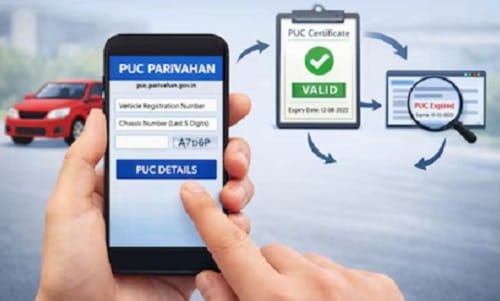
What is a PUC Certificate?
PUC stands for Pollution Under Control. It is issued after testing your vehicle’s emission levels.
It includes:
- Vehicle number
- Emission levels
- Date of test
- Validity period
Method 1: Check PUC Status on Parivahan Website (Official Method)
This is the most accurate and trusted way.
Use Parivahan PUC Portal
Steps:
- Open your browser
- Visit the Parivahan PUC website
- Click on “PUC Certificate” option
- Select “PUC Details”
Enter:
- Vehicle registration number
- Last 5 digits of chassis number
- Fill captcha
- Click on Submit
What you will see:
- PUC certificate number
- Validity date
- Emission test details
- Status (Valid/Expired)
Method 2: Download PUC Certificate Online
If your PUC is valid, you can download it.
Steps:
- Follow same steps as above
- Click on “Print” or “Download”
- Save PDF in your phone
Why useful:
- No need to carry physical copy
- Can show digitally when asked
Method 3: Check via mParivahan App
A quick mobile option.
Use mParivahan
Steps:
- Open app
- Enter vehicle number
- View vehicle details
Note:
PUC details may not always show fully here, but basic info is available.
Method 4: Check via SMS (Limited Use)
There is no direct official SMS for full PUC details, but:
- You can check vehicle info via VAHAN SMS
- Then verify PUC online
What Details You Need
- Vehicle registration number
- Chassis number (last 5 digits)
You can find chassis number in:
- RC (Registration Certificate)
- Insurance document
Validity of PUC Certificate
- New vehicles → Valid for 1 year
- Older vehicles → Usually valid for 6 months
Always check expiry date to avoid fines.
What If PUC is Not Showing Online?
This can happen sometimes.
Reasons:
- Data not updated yet
- Certificate recently issued
- Wrong details entered
What to do:
- Recheck details
- Try after some time
- Visit PUC center if needed
Penalty for Expired PUC
Driving without valid PUC can lead to:
- Fine up to ₹10,000
- Possible legal action
- Vehicle may be stopped
Important Tips
- Always renew PUC before expiry
- Save digital copy on phone
- Keep chassis number handy
- Check status before long trips
Common Mistakes to Avoid
- Ignoring PUC expiry
- Entering wrong chassis number
- Assuming PUC is valid without checking
- Not downloading certificate
Quick Checklist
- ✔ Vehicle number entered correctly
- ✔ Chassis number correct
- ✔ Status shows “Valid”
- ✔ Expiry date checked
Final Thoughts
Checking your PUC online is quick, simple, and important. It helps you stay legally safe and ensures your vehicle is not harming the environment.
The easiest way is through the Parivahan PUC portal. Just enter your vehicle number and chassis digits, and you’ll get all details instantly.
Make it a habit to check your PUC regularly. It takes just a minute, but it saves you from fines and unnecessary trouble later.